
GUNPOWER SMT N2 32: The Smart Target That Turned My Garage Into an Arcade
GUNPOWER sent me their new SMT N2 32-inch smart target system. I set it up, ran through the built-in games, and discovered Virtual SWAT — a game mode that basically turns dry-fire training into a video game. Here's the full setup walkthrough and first impressions.
GUNPOWER SMT N2 32: The Smart Target That Turned My Garage Into an Arcade
I have opened a lot of airsoft products over the years. New replicas are always exciting. New optics are fun. But most of the time, whatever I am unboxing is going to work with one specific platform or one specific build. It is exciting, but it is also narrow. You open a new magazine and it only fits one gun. You open a new rail system and it only goes on one replica.
The GUNPOWER SMT N2 is different. This thing works with every single replica I own. Pistols, rifles, GBBs, AEGs — it does not care. You point it at the screen and you shoot. That universality is what makes it, genuinely, the most exciting airsoft product I have opened in the last year.
GUNPOWER is a company based in South Korea, and they have been making smart targets for a while now. I have been running three of their older SMT 24 units in my garage, set up as a makeshift shooting range. When they reached out about their new N2 model — the 32-inch version — and sent me three of them to replace my old setup, I was all in. This is the setup and first impressions.
What Comes in the Box
The SMT N2 32 ships as a complete package. Inside the box you get:
- The 32-inch smart target screen itself — basically a purpose-built monitor with shot detection
- A tripod stand, which took about two minutes to assemble and feels genuinely solid
- A rear mount with a rotating mechanism that lets you switch between portrait and landscape orientation
- A physical controller with navigation buttons and dedicated start/stop controls
- Power cables with a US plug adapter
- A Wi-Fi/Bluetooth dongle for wireless connectivity
- Mounting bolts for attaching the rear bracket
- The BB catch tray system with anti-bounce inserts
- Side shields to contain ricochets
The rotating mount is a nice touch that was not on the older models. Most of the built-in games run in portrait mode, but some — including the new Virtual SWAT mode — are designed for landscape. Being able to rotate the screen without unmounting everything is genuinely useful.
Setup: Straightforward If You Have Done It Before
I have set up GUNPOWER targets before, so I knew what I was getting into. For a first-timer, the instructions are there but they are not exactly hand-holding. The physical assembly is simple: bolt the mount to the back of the screen, slide it onto the tripod, attach the side shields and the catch tray, plug in the dongle and power, and you are done.
The catch tray deserves a mention because it is well thought out. It is a metal tray with a polyurethane insert that kills the bounce when BBs land in it. The side shields are rubber flaps that slide into brackets on either side of the screen. Their job is to catch any BBs that ricochet at an angle and funnel them down into the tray rather than letting them fly across your garage. The screen itself is angled slightly backward — I think deliberately — so that BBs hit, deflect upward to shed some energy, and then drop into the tray. In practice, it works. Most of my shots ended up in the tray, and the ones that did not just rolled off onto the floor.
One thing I noticed: the tray is metal and has some weight to it. If you do not have the mount tightened down properly, it can pull the screen to one side. Not a dealbreaker, just something to be aware of when you are setting up.
Connectivity: Wi-Fi, Bluetooth, and an App
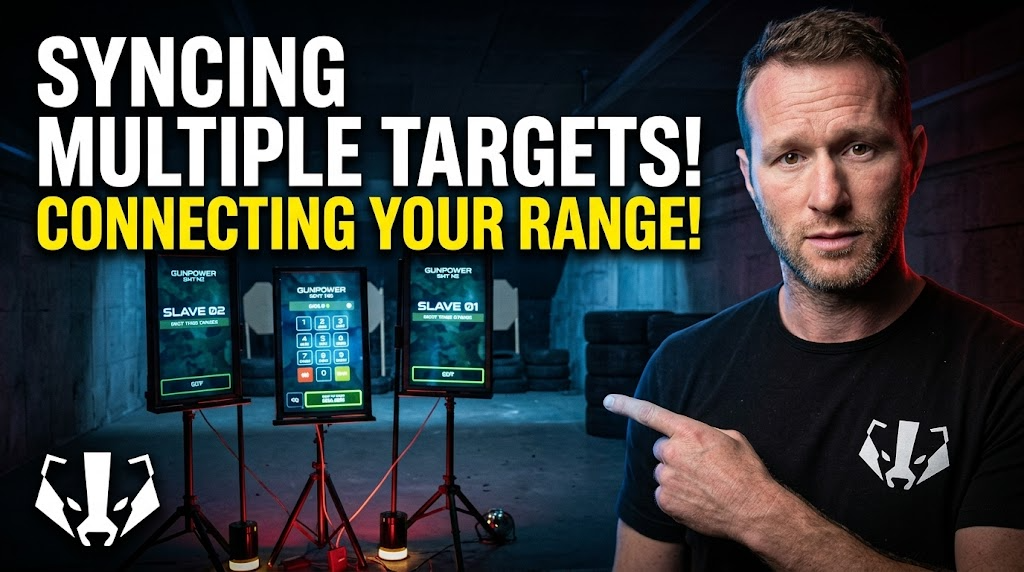
The SMT N2 adds wireless connectivity, which is a meaningful upgrade over the old system. The previous SMT models required physical cables to link multiple targets together for multiplayer games. I actually have that wired setup in my garage right now. The N2 supports linking over Wi-Fi, which means less cable clutter and more flexibility in how you arrange your targets.
There is also a phone app — SMT Controller by GUNPOWER, available on the App Store. The screenshots are mostly in Korean, but the functionality is straightforward: it gives you remote control over the target without needing the physical controller or shooting the on-screen buttons. I downloaded it during setup but did not dive deep into it for this video. That is something I will cover properly when I do the full three-target linked setup.
The physical controller plugs in via USB and gives you navigation buttons plus dedicated start and stop controls. Honestly, I almost never use it on my old targets. The screen itself is touch-sensitive — or more accurately, impact-sensitive — so you navigate menus by shooting the buttons. You can also flick the screen hard with your finger if you do not want to chamber a BB just to navigate. I do that a lot when I am setting up for a short and do not want to deal with double-feeds or clearing a round before recording.
The Games: This Is Where It Gets Good
The SMT N2 comes preloaded with a bunch of games, and you can download more from the GUNPOWER website. Here is a quick tour of what is on there:
Flip Flop is a competitive two-player game. The screen shows blue and red targets. When you hit a target, it flips to your color. Your opponent is doing the same thing. At the end, whoever has flipped more targets to their color wins. This is genuinely fun with friends and gets surprisingly competitive.
Fly Hunting has you hitting targets in a specific sequence — G-U-N-P-O-W-E-R — like spelling out the brand name. It sounds simple but forces you to think about shot placement under time pressure, which is exactly the kind of skill that translates to actual airsoft.
Hostage Target is exactly what it sounds like. Hostage and threat targets pop up, and you have to discriminate between them. Shoot the hostage and you get penalized. This is one I have used in shorts before and it always gets a reaction.
T500 Shot Timer is my personal favorite on the old system. Targets pop up in random positions and you have to hit them as fast as possible. It tracks your time, your hits, your misses, and builds a leaderboard. You can compete against your own best times or go head-to-head with a friend. Five hits, five misses — the pressure to be fast and accurate at the same time is real.
Virtual SWAT is the new one, and it is the reason I got genuinely excited during this setup. This was not on the old SMT system. It is essentially a video game that you play by shooting the screen. You move through scenarios — there is a bus sequence, hostile engagements, hostage situations — and you are using your actual airsoft replica as the controller. I ran through it with my Tokyo Marui P320 and four loaded magazines, and I burned through all of them faster than I expected. It is immersive in a way that static target training is not. You are reacting, moving, making split-second decisions about threat versus non-threat. That is real training value wrapped in a game format.
The Training Value Is Real
Here is the thing about smart targets versus paper targets or even basic resetting targets: they make you think. When you are shooting a static target, you are practicing trigger pull and sight alignment, which is fine. But when the target is giving you moving threats, timed sequences, color-coded discrimination drills, and competitive scoring, you are practicing the cognitive side of shooting. Target acquisition. Decision-making under pressure. Shot placement at speed.
That quick-reaction skill — seeing a target, identifying it, and putting a shot on it before it disappears — is directly applicable to airsoft. It is the difference between the guy who sees a player peek a corner and reacts instantly versus the guy who hesitates for half a second and gets hit. Smart targets train that half-second out of you.
And because it works with any replica, you can train with the exact gun you run at the field. Same grip, same trigger, same sight picture. That is something you cannot get from a video game controller.
What Is Next
I have three of these N2 units, and the plan is to replace my three old SMT 24s in the garage with them. That means linking all three together over Wi-Fi for multiplayer games, testing the app properly, and seeing how the new system compares to the wired setup I have been running. I will also be testing whether the N2 can link with the older SMT 24s — I suspect it cannot, but I am going to try.
For now, my first impression is this: the SMT N2 32 takes everything I liked about the old GUNPOWER targets and improves it. The screen is bigger, the wireless connectivity is a genuine quality-of-life upgrade, the rotating mount adds flexibility, and Virtual SWAT alone is almost worth the price of admission. If you have the space for one of these and you are serious about improving your shooting, it is hard to think of a better investment for at-home training.
I will have the full three-target setup video coming soon. In the meantime, if you have ideas for how I should arrange these — two vertical and one horizontal? All three vertical? — drop a comment and let me know.